Recording Sessions
Connect is equipped with the recording feature which enables you to record all connection sessions and meetings.
To Record the Meeting Session
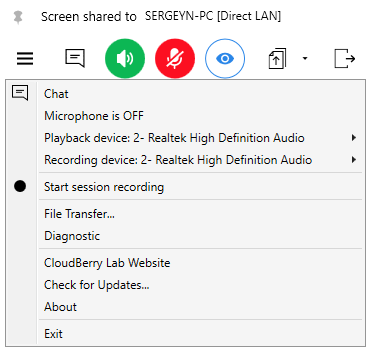
Once the session is established, open the menu, then select the Session Recording item. The recording is indicated at the bottom of the Session window.
To Record the Meeting Session
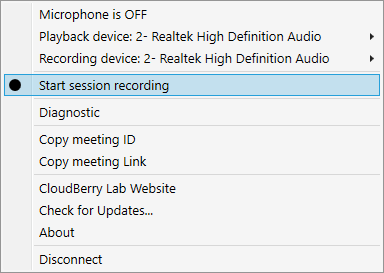
Open the Meeting menu, then select the Session Recording item. The recording is indicated at the bottom of the Meeting window.
To Play the Meeting Session
In the main application menu, select Play recorded session, then browse to the session file.
The default path for session files is C:\Users\Public\Documents\Connect\Video
Note that session files are stored in the internal Connect format and are not supported by external players.