Platform: WindowsProducts: MSP360 Backup
Article ID: s0116Last Modified: 07-Oct-2026
Step 12. Notifications and Event Log Settings
You can choose whether you need to receive email notifications about the backup process results and maintain a system activity log.
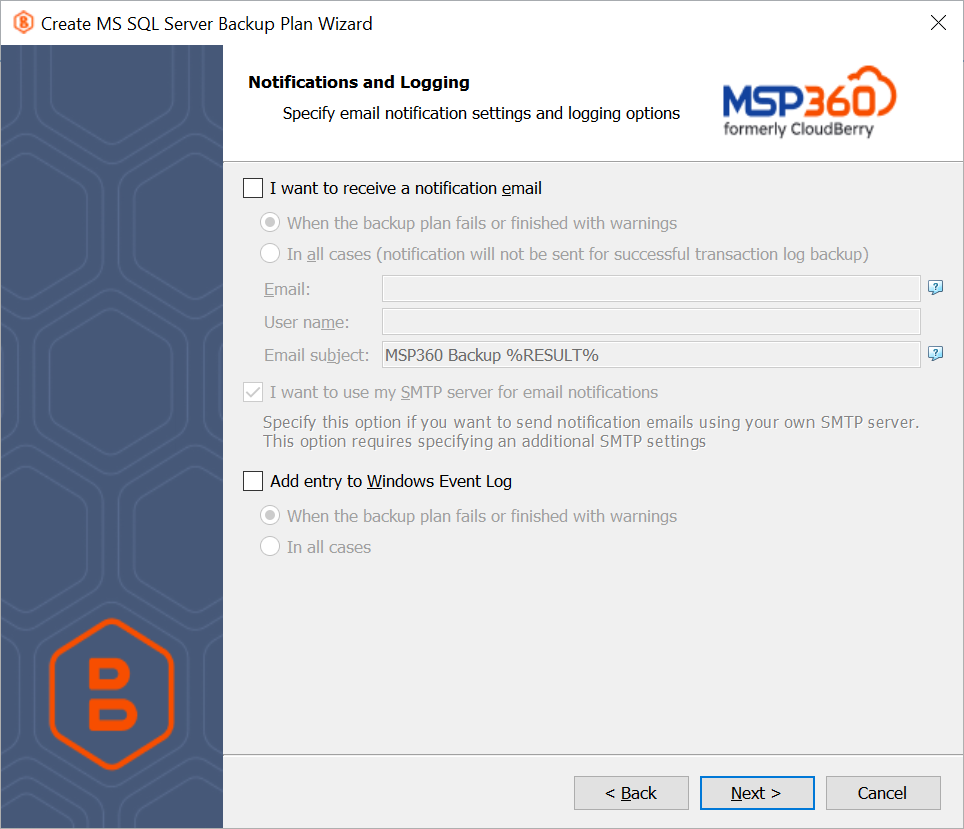
You can receive email notifications after each run of the backup plan or only if it fails for some reason.
- In the User name, Email, and Email subject fields, specify the notification email details. You can specify one or more email recipients (separate them by a semicolon or comma) and the recipient name (one for all of them). The email subject can also contain any of the following variables:
- %COMPUTER_NAME% Indicates the name of a computer on which the routine was running.
- %RESULT% Indicates whether the routine was finished successfully or failed.
The The The %RESULT% variable has the following values:
- Completed. This value is assigned when the plan completes successfully.
- Completed with warnings. This value is assigned when the plan completes with errors or warnings or is interrupted.
- %PLAN_NAME% Indicates the backup plan's name.
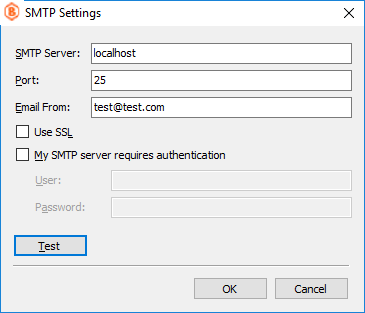
You can also route the email notifications to a custom SMTP server. After specifying the server address, port, sender email and SSL settings, you can send a test email to make sure that the specified settings are valid.
In addition, you can register the activity related to the backup routine in the System Event Log. You can choose whether to log all activity or add new entries to the log only when a backup routine fails.