Add Amazon S3 Cloud Storage
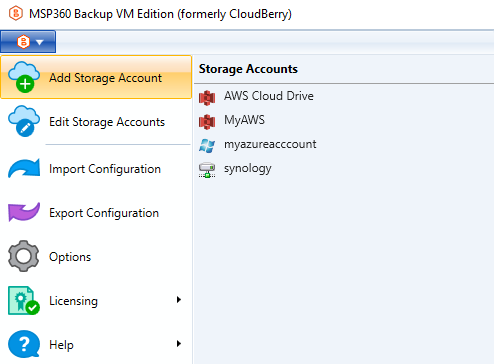
- Open the application menu, then click Add Storage Account.
- Select S3.
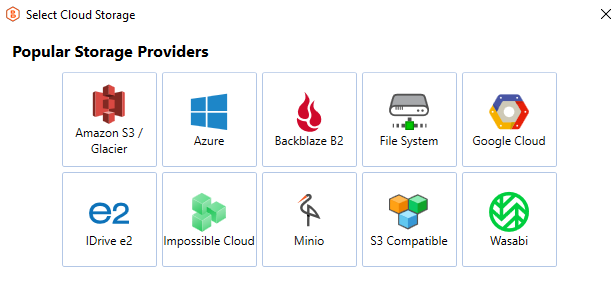
Amazon Glacier Vaults are no longer supported.
General Settings
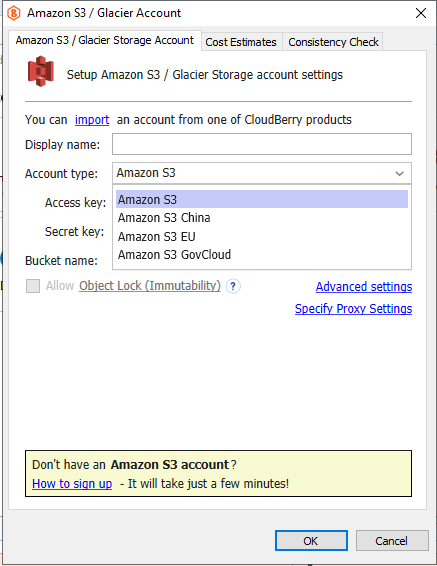
Specify Storage Account details:
- In the Display name field, enter a name for the cloud storage. This name will be used throughout the application.
- In the Account type drop-down menu, select the required account type. Available options include:
- Amazon S3
- Amazon S3 China
- Amazon S3 EU - AWS European Sovereign Cloud (physically and logically isolated within the EU (European Union)).
- Amazon S3 GovCloud
- Select the region.
Authentication
Enter your Access Key and Secret Key for authentication.
Bucket Selection
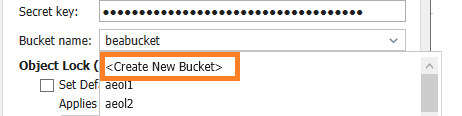
Select the required bucket from the Bucket name drop-down list.
Depending on the bucket configuration:
- If Object Lock (Immutability) is not enabled (or cannot be enabled), the corresponding options will be visible:
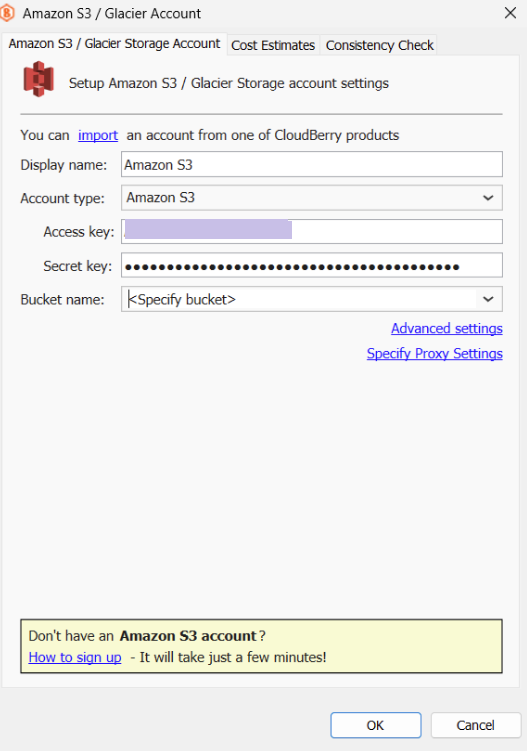
- If Object Lock (Immutability) is enabled (or can be enabled), you can manage the object lock settings.
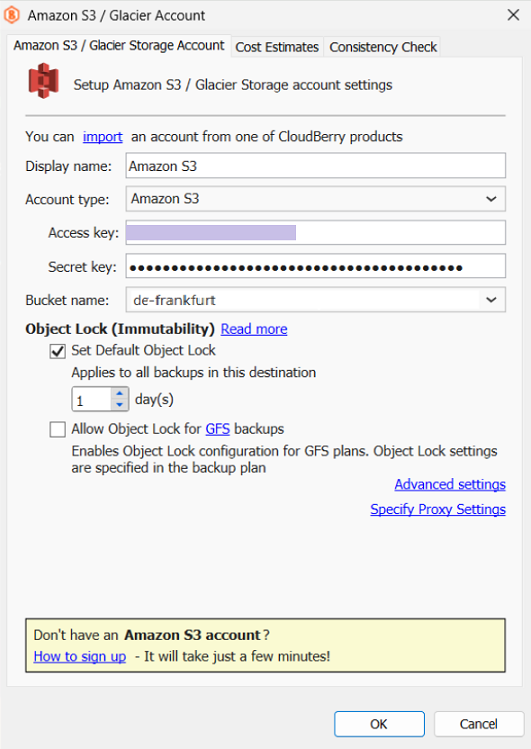
You can also:
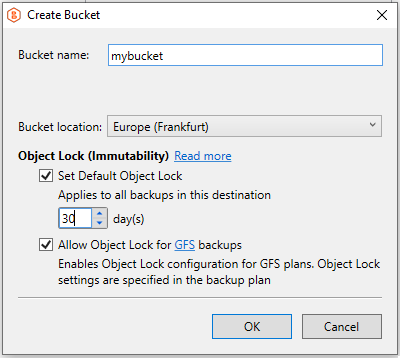
- Create a new bucket
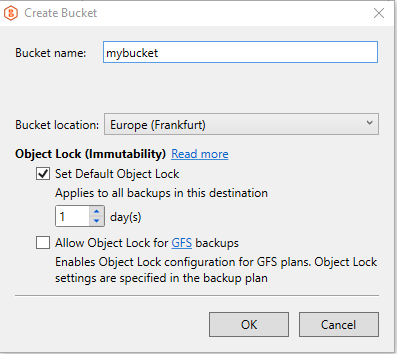
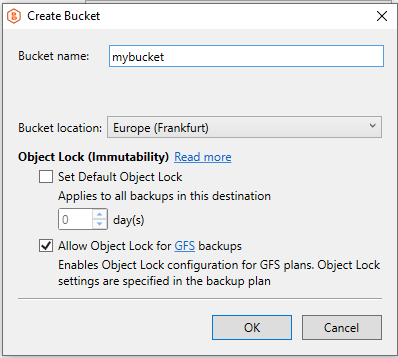
Enable Default Object Lock and/or Object Lock for GFS backups for the bucket.
- To enable Default Object Lock, select the corresponding option and provide the correct protection period value if it does not appear automatically:
- To enable Object Lock for GFS backups, select the corresponding option and confirm your selection:
- To enable both Default Object Lock and Object Lock for GFS backups, select both options:
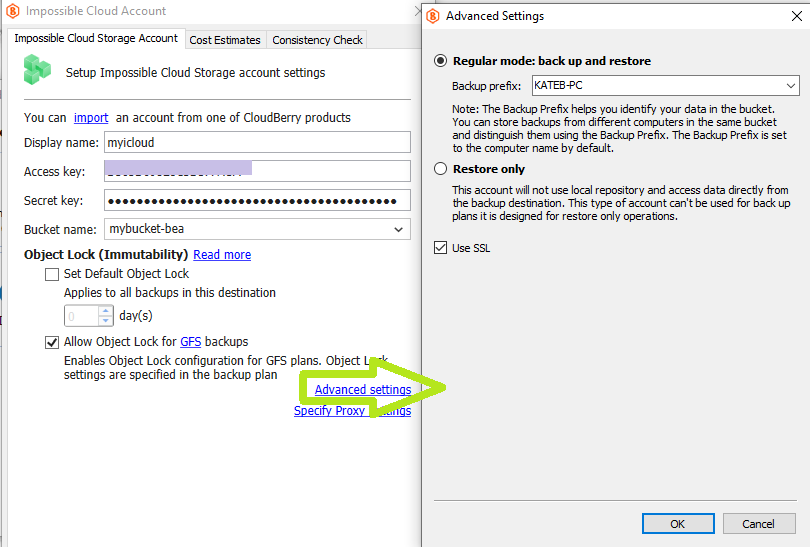
Advanced Settings
To configure additional options, click Advanced Settings.
Advanced Settings
To configure additional options, click Advanced Settings.
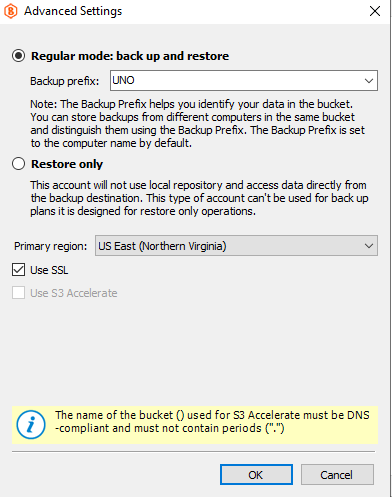
Backup Mode
Select one of the following modes:
- Regular mode - enables both backup and restore operations.
- Restore only - allows using the storage only for restore operations.
Additional Options
- To enable a secure connection, select the Use SSL checkbox.
- S3 Acceleration is enabled by default.
Final Steps
- If you are using a firewall, configure the proxy settings.
- After completing the configuration, click OK.
AWS China Regions (Beijing and Ningxia) are operated in partnership with local providers to comply with regional regulations:
- Beijing region: operated by Sinnet
- Ningxia region: operated by NWCD
AWS GovCloud (US) is designed to meet the regulatory requirements of U.S. government and public sector organizations.
To learn more about Amazon S3 (China) and Amazon S3 GovCloud, refer to the https://www.amazonaws.cn/ website and the AWS GovCloud (US) Product Details section.